Paper tests and OMR
Print the paper and OMR sheets, scan them back, and results publish themselves.
Many institutes still test on paper, and they should not have to choose between paper and analysis. Print the test, hold it in class, scan the sheets, and every student gets the same result page as an online test.
Where: Admin → Manage Tests → a planned test
Video: Scanning OMR sheets (1:12)
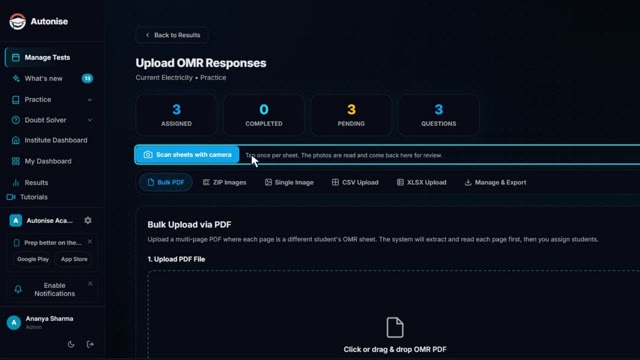
Camera scanning and uploads, checking the responses that were read, and matching sheets to students.
A paper test, end to end
- Build. The same test you would run online.
- Print. Paper and OMR sheets, with your name on them.
- Hold the test. In class, on paper.
- Scan. Phone photos or scanner PDFs, in any order.
- Confirm. Unclear bubbles are shown for you to check.
- Results. Every student gets the full result page.
What you get
Print-ready papers and OMR sheets
Generated from the same test you built, with your institute's name.
Scan with a phone or scanner
Upload photos or PDFs of the whole class in any order.
Roll numbers read automatically
Each student has a roll number to bubble, and scanned sheets are matched to them.
You confirm unclear bubbles
Sheets are read and anything unclear is shown for you to check. Nothing is marked until you confirm.
Written answer sheets
Written papers print with one page per question. A code on each page finds its student and question, and AI grades the answers for you to review.
Online and offline together
The same test can be taken on screen by some students and on paper by others.
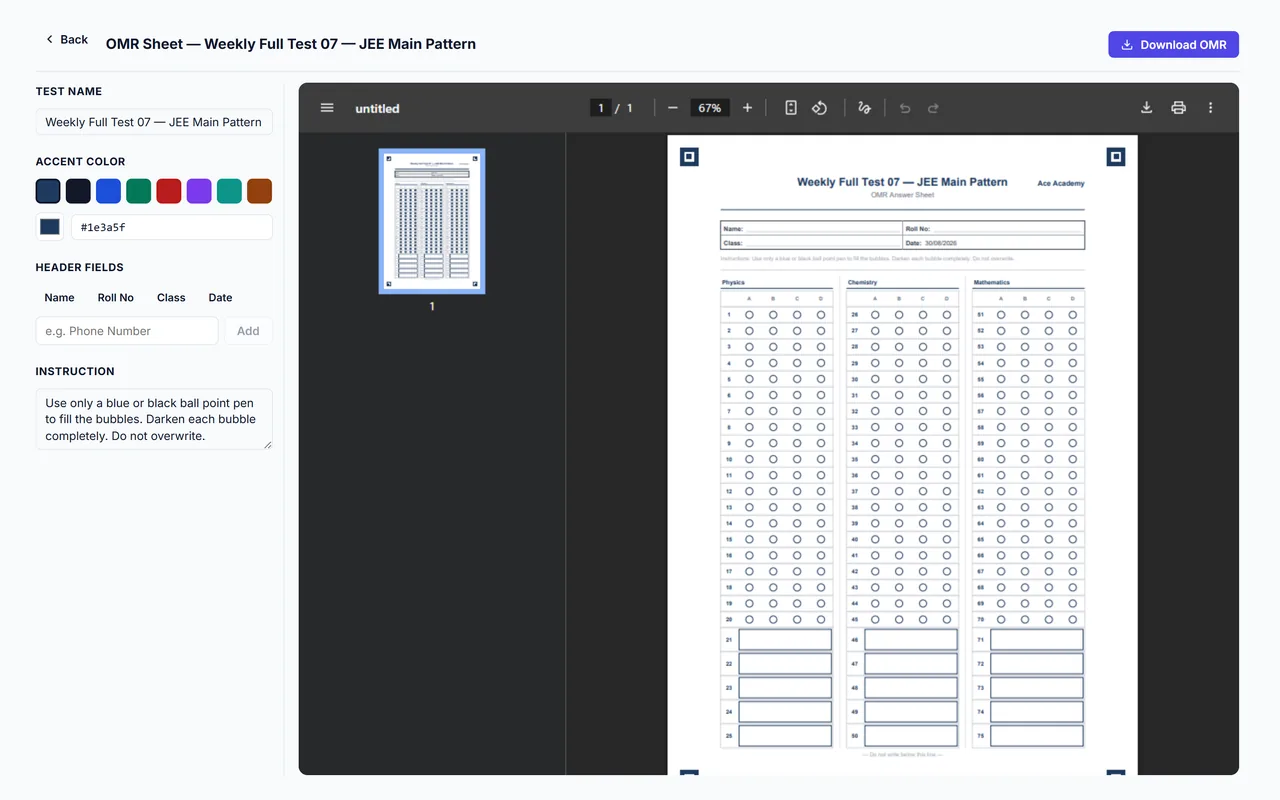
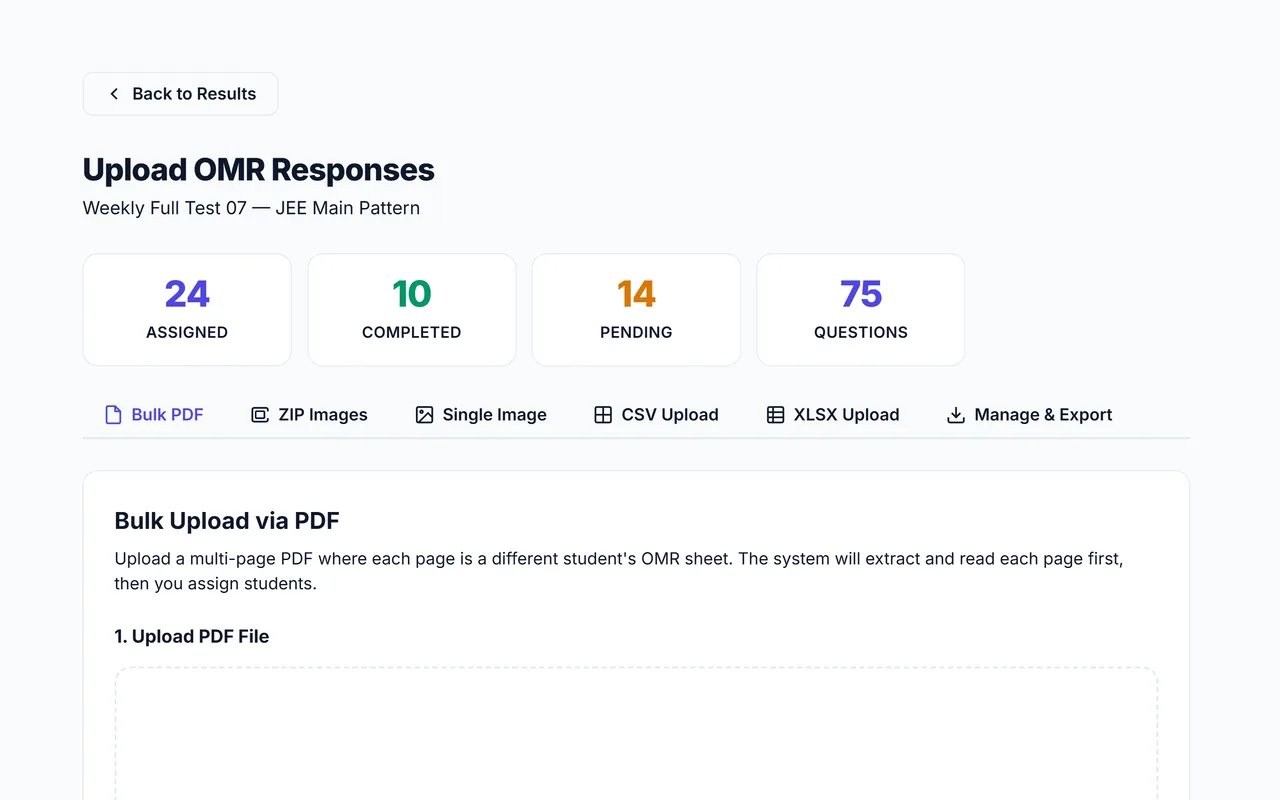
Video: Printing the paper and OMR sheets (0:43)
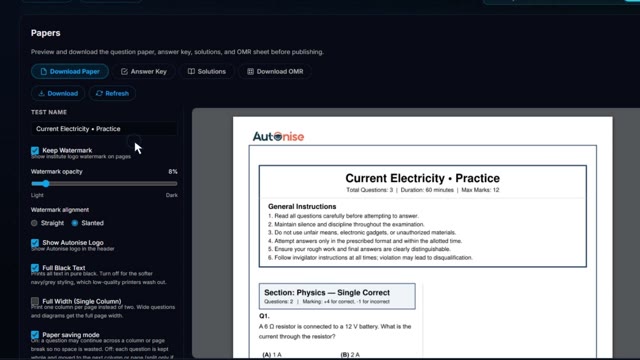
Question paper, answer key, solutions and OMR sheets, with the print options.
Related features
- Create tests: Build a paper from the question bank, a past paper, your own questions or a PDF.
- Results and analysis for the class: Ranks, chapter-level weak areas and parent-ready reports the moment a test closes.
- Written answers, marked by AI: Type or photograph a long answer and get marks for every step, with feedback.