Students, batches and mentoring
Every student's tests, syllabus, notes and tasks on one page.
Knowing forty students well is hard. Autonise keeps what you need to know about each one in a single place, and helps you act on it.
Where: Admin → Students
Video: Creating batches (0:55)
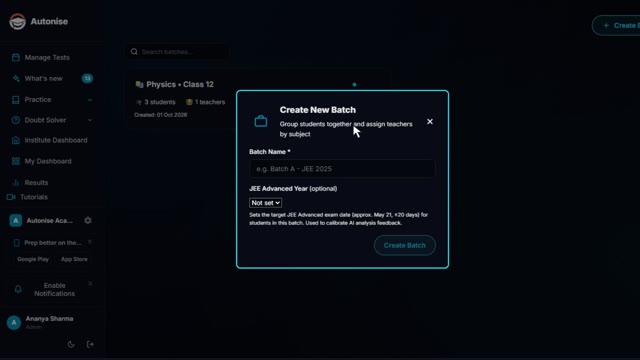
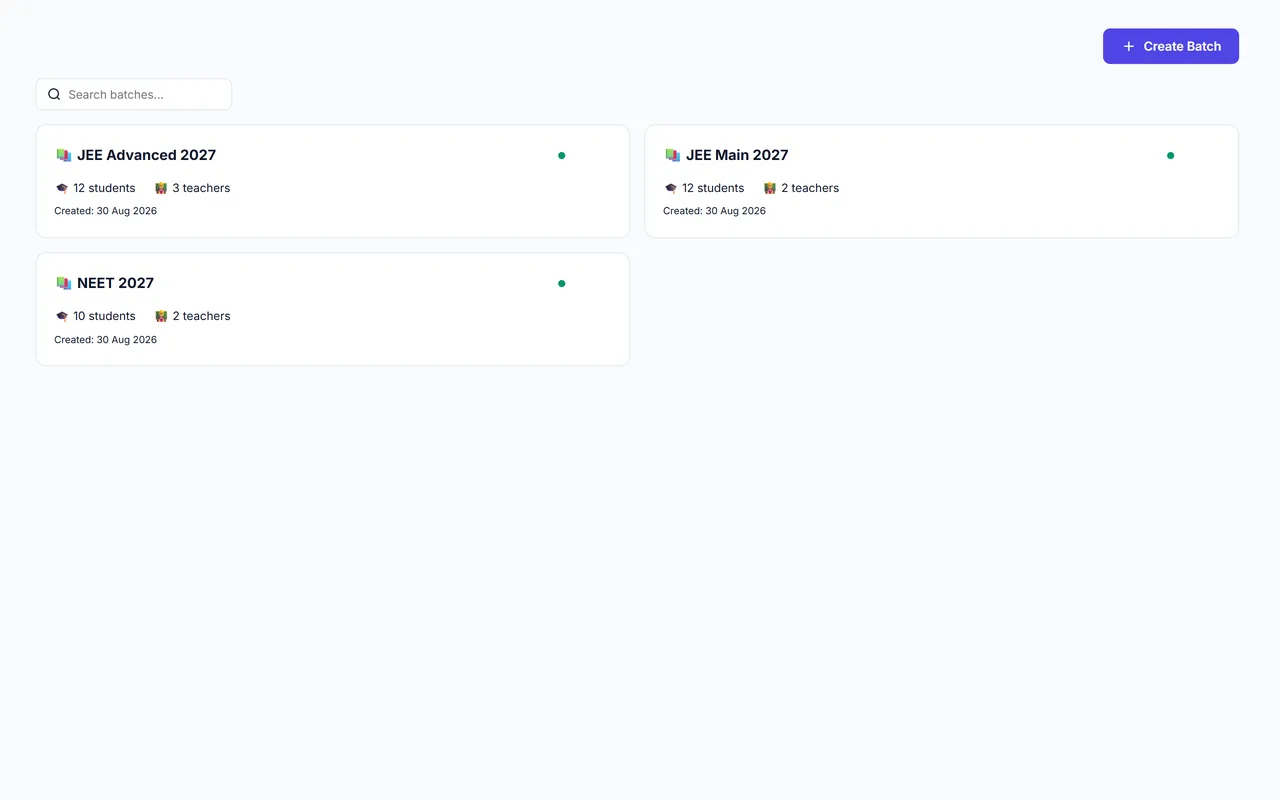
Create a batch, assign teachers by subject and invite its students.
What you get
Batches and invites
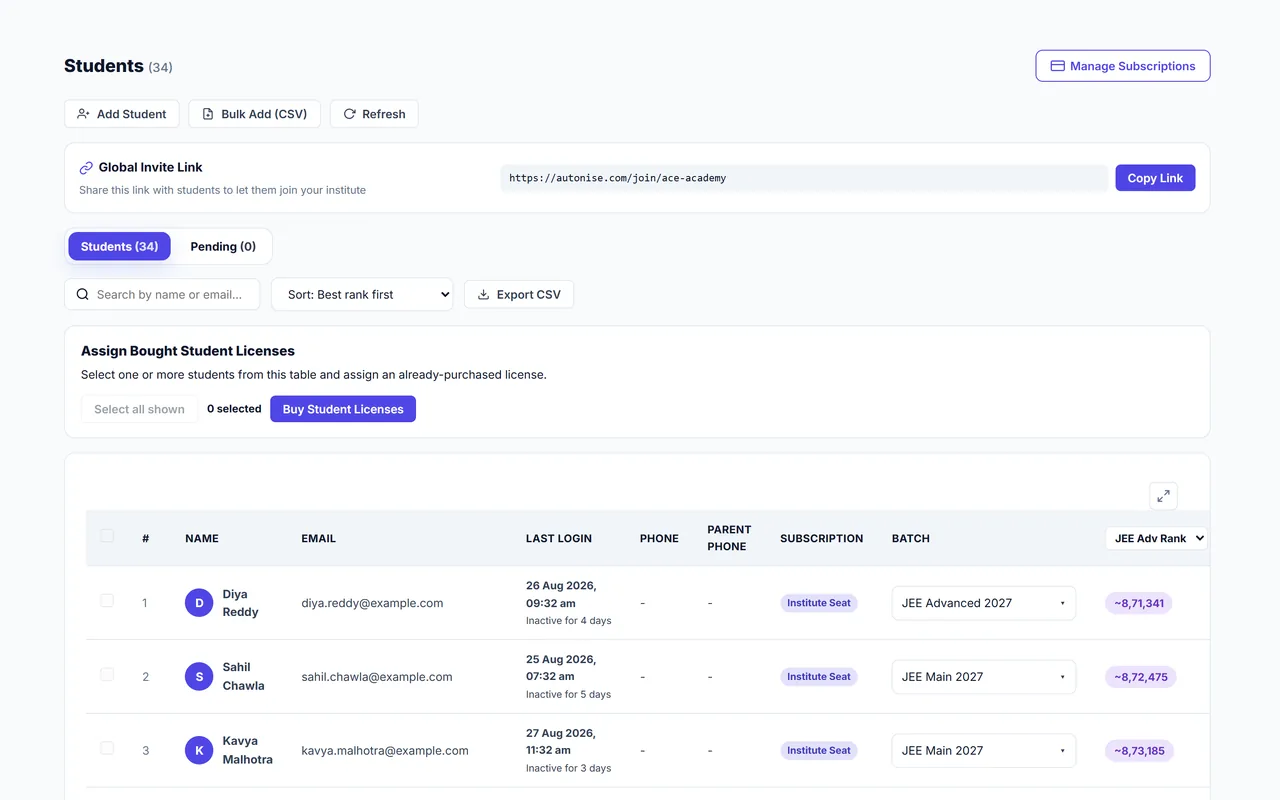
Import students into batches. Students who already have an Autonise account simply join yours.
Each student's syllabus tracker
See which chapters they have covered and where they feel weak, next to their Elo from real answers.
Notes & tasks
Describe a task in plain words and AI drafts it with practice questions, past papers or lecture videos attached. It lands on the student's To-Do board.
AI task suggestions
AI proposes each student's next task with its reasons: weak chapters, upcoming tests, what they wrote in your forms. Only you see the suggestions.
Recorded sessions
Record a one-on-one and AI turns the conversation into draft notes and tasks for you to check.
Forms
Ask students anything with your own forms, send them to a batch and read the answers on each student's page.
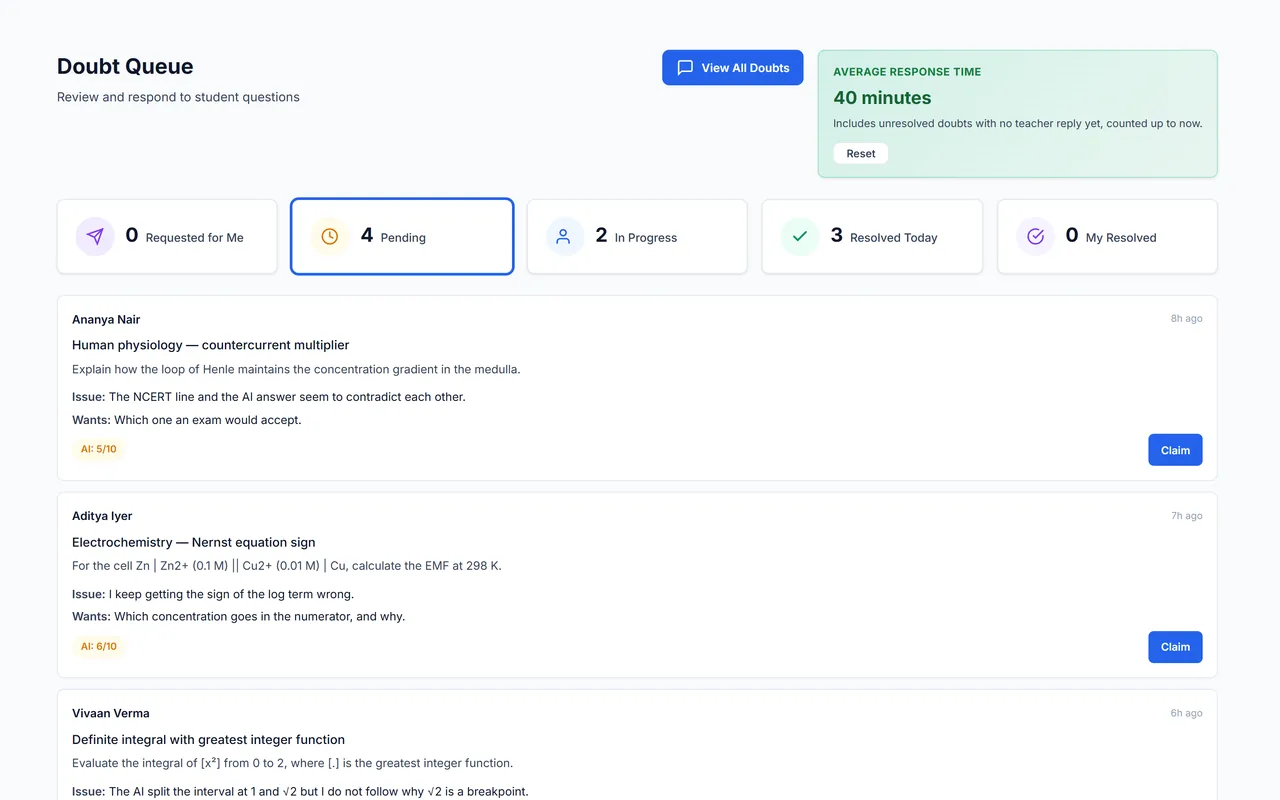
Chat and doubt queue
Batch chats with safety controls, and a queue of student doubts for teachers to answer.
Video: Inviting and adding students (2:11)
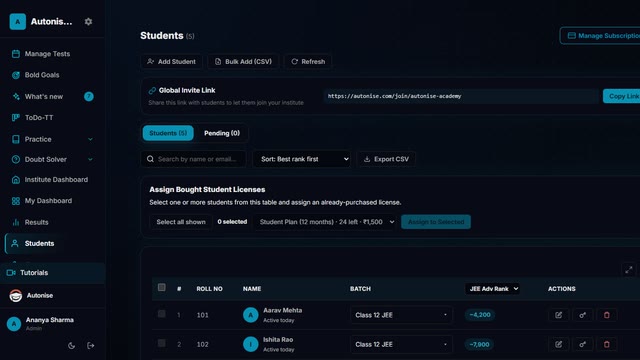
The invite link and join requests, one student at a time, or a whole class from a CSV.
Related features
- DPPs and the smart board: Build a DPP in one drag, and teach from the same questions on the classroom board.
- Results and analysis for the class: Ranks, chapter-level weak areas and parent-ready reports the moment a test closes.
- Chat with your teachers: Batch and one-to-one chats with your institute, with safety built in.