Study timer and tracker
Stopwatch, Pomodoro and countdown, with streaks, goals and a daily questions target.
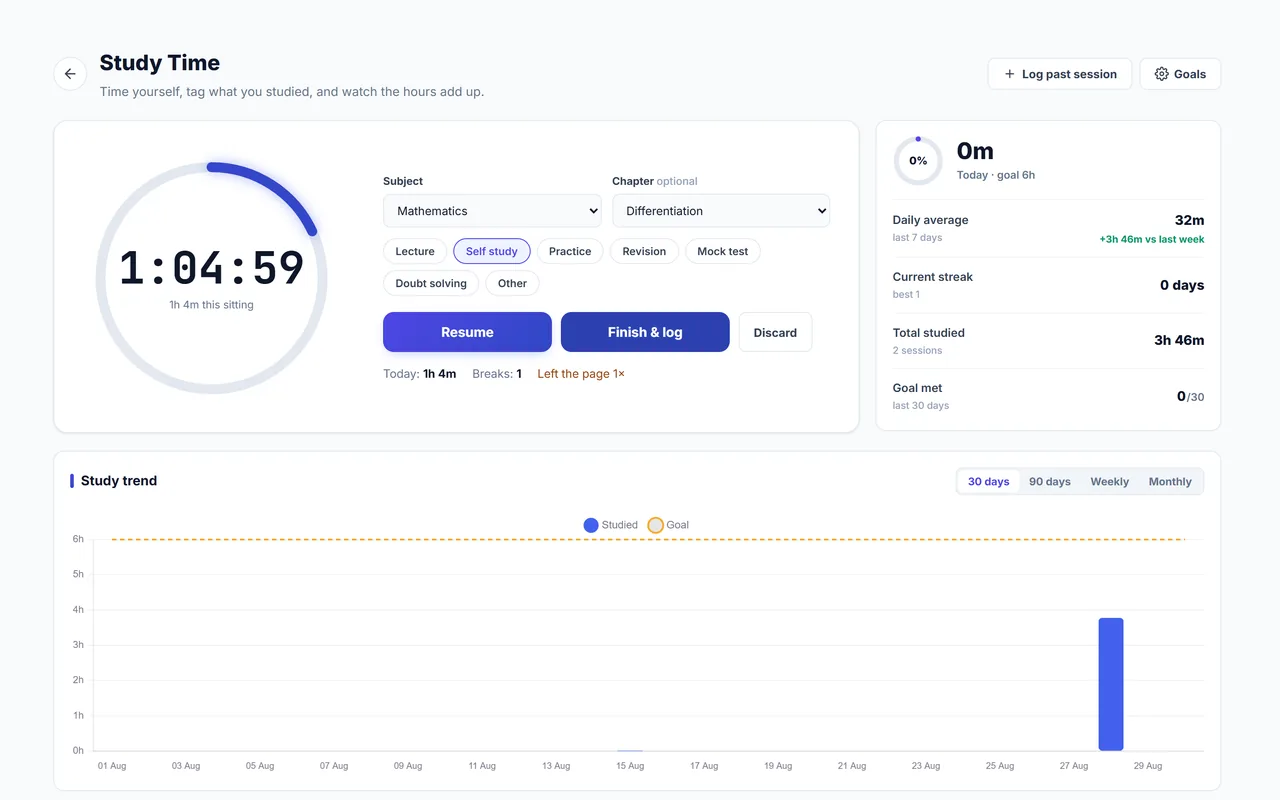
Ranks are built in the boring hours. The study timer makes those hours visible: every session logged against a subject, a streak that grows when you show up, and a chart that tells you the truth about your week.
Where: Sidebar → Study Tracker
What you get
Three timers
A stopwatch for open-ended study, a countdown for a fixed sitting, and Pomodoro for short focused blocks with breaks in between.
Logged by subject
Each session is saved against the subject you studied, with an optional note.
Streaks and goals
Set a daily study goal and keep your streak alive.
A questions target
Pick a daily or weekly number of questions. Questions you answer on Autonise count on their own; add the ones from books and DPPs yourself. A chart shows each day by subject.
Log study done elsewhere
Coaching class, library sitting, offline revision: add it afterwards so your record is complete.
Edit the log
Forgot to stop the timer? Trim the session, or correct its time, subject or note.
Tests and practice count
Tick a box when starting a test or a practice session and it is logged as study time, with a floating stopwatch that stays with you.
Works offline and on your wrist
The timer keeps running without internet and syncs later. Start it from a Wear OS watch or an Apple Watch, or from a home-screen widget.
Three timers, three kinds of sitting
| Timer | How it runs | Use it for |
|---|---|---|
| Stopwatch | Counts up until you stop it | Open-ended study, when you do not know how long it will take |
| Countdown | Counts down from a time you set, and rings at zero | A fixed sitting: "ninety minutes of Organic" |
| Pomodoro | Short focused blocks with breaks between | Getting started on a day when you do not feel like it |
How to use it
- Pick a timer. New to this? Try Pomodoro: 25 focused minutes is easier to start than "study all evening".
- Choose the subject and start. The timer shows on your lock screen while it runs.
- Stop when you stop. Even a two-minute sitting is logged. Pauses and breaks never count as study time.
- Check the week. Look at hours by subject. The subject you avoid is usually easy to spot.
Good to know
- The countdown rings and logs your session at zero, even if the phone is locked. Allow exact alarms and notifications so it rings on time.
- On Android, Focus Lock can silence other apps while a timer runs.
Related features
- Focus Lock: One tap silences other apps and pins Autonise to your screen while you study.
- Home-screen widgets and watch app: Timer, countdown, next steps and quick practice without opening the app.
- To-Do board and timetable: Your study tasks, teacher's tasks and class timetable on one board and calendar.
- Reminders, your way: Choose app, email or WhatsApp, how often, and when to stay quiet.