Tags and notes on questions
Tag it now, find it the night before: your own shortlist for revision.
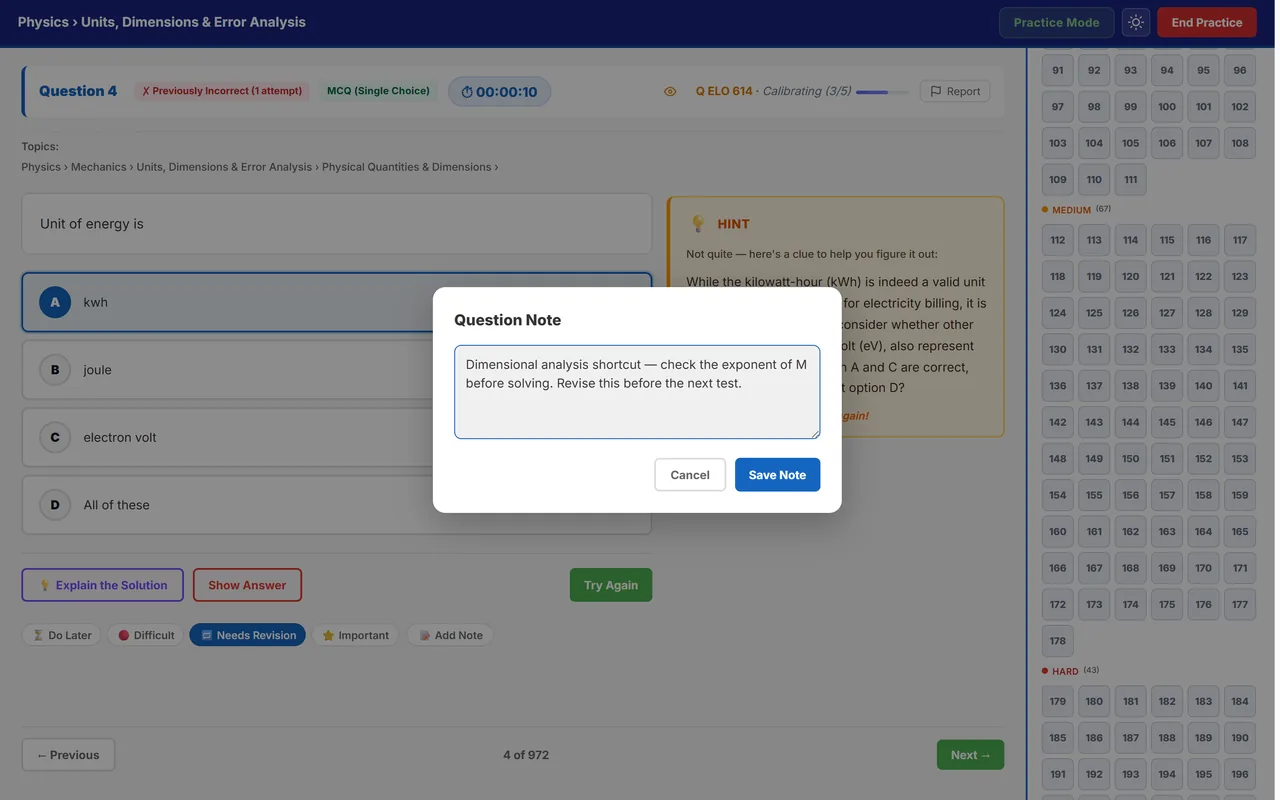
The questions worth revising are the ones that troubled you, and only you know which those are. Tag any question while you practise, write yourself a note on it, and Autonise keeps the shortlist ready for the week before the exam.
Where: On any practice question; shortlist under Tagged questions
Video: Saved for later, found when needed (0:23)

Tag questions while you study, and get them back before the exam. Mayank, who built Autonise, explains it in Hinglish.
What you get
Four tags
Do Later, Difficult, Needs Revision and Important. A question can carry more than one.
A note in your own words
Write the trick you missed, the formula you forgot or the trap in the question. The note stays with the question.
Tags become sections
In the practice palette your tagged questions are grouped by tag, so revision starts from your own list, not from page one.
One page for all of them
Tagged questions gathers everything you have tagged or noted, organised by chapter and topic. Tap a chapter or topic to practise just those.
Four tags, and when each one helps
| Tag | Use it when |
|---|---|
| Do Later | You have no time for it now, but want to come back |
| Difficult | You could not solve it even after trying |
| Needs Revision | You solved it, but would not trust yourself to do it again |
| Important | It teaches a trick or idea you expect to meet again |
How to use it
- Tag while the question is fresh. It takes one tap, and you will not remember which question it was tomorrow.
- Add a one-line note. Write what you would tell yourself next time.
- Revise from the shortlist. Before a test, open Tagged questions and work through Needs Revision and Important.