Previous year papers
More than 20 years of real papers, taken as timed tests in the real exam screen.
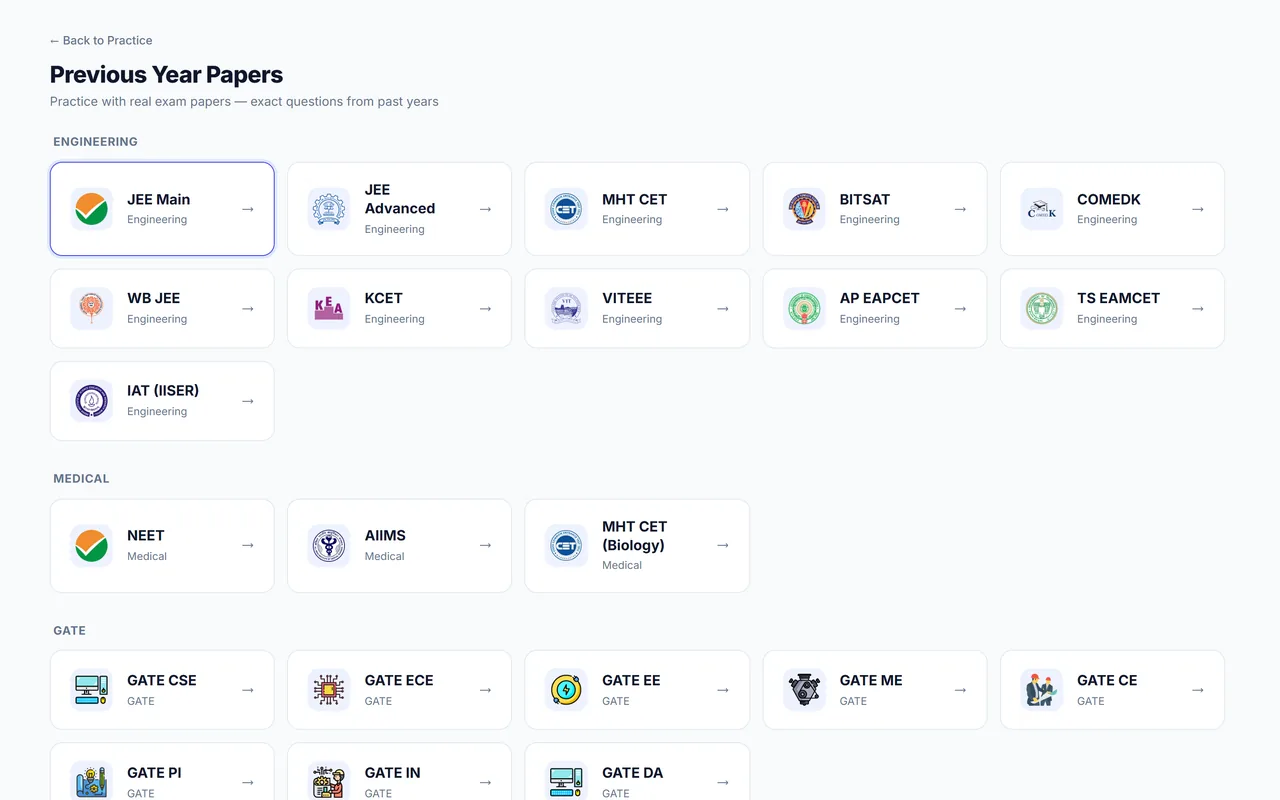
The fastest way to learn what an exam asks is to sit its old papers. Autonise keeps past papers of JEE Main, JEE Advanced, NEET and MHT CET, each one ready to take as a full timed test with its original sections and marking. When you submit, you get your marks, the answer key, a solution for every question and an estimate of where that score would have placed you.
Where: Sidebar → PYQ
Video: Why previous year papers come first (0:46)

What a past paper tells you that a chapter test cannot. Mayank, who built Autonise, explains it in Hinglish.
What you get
Every paper, as it was set
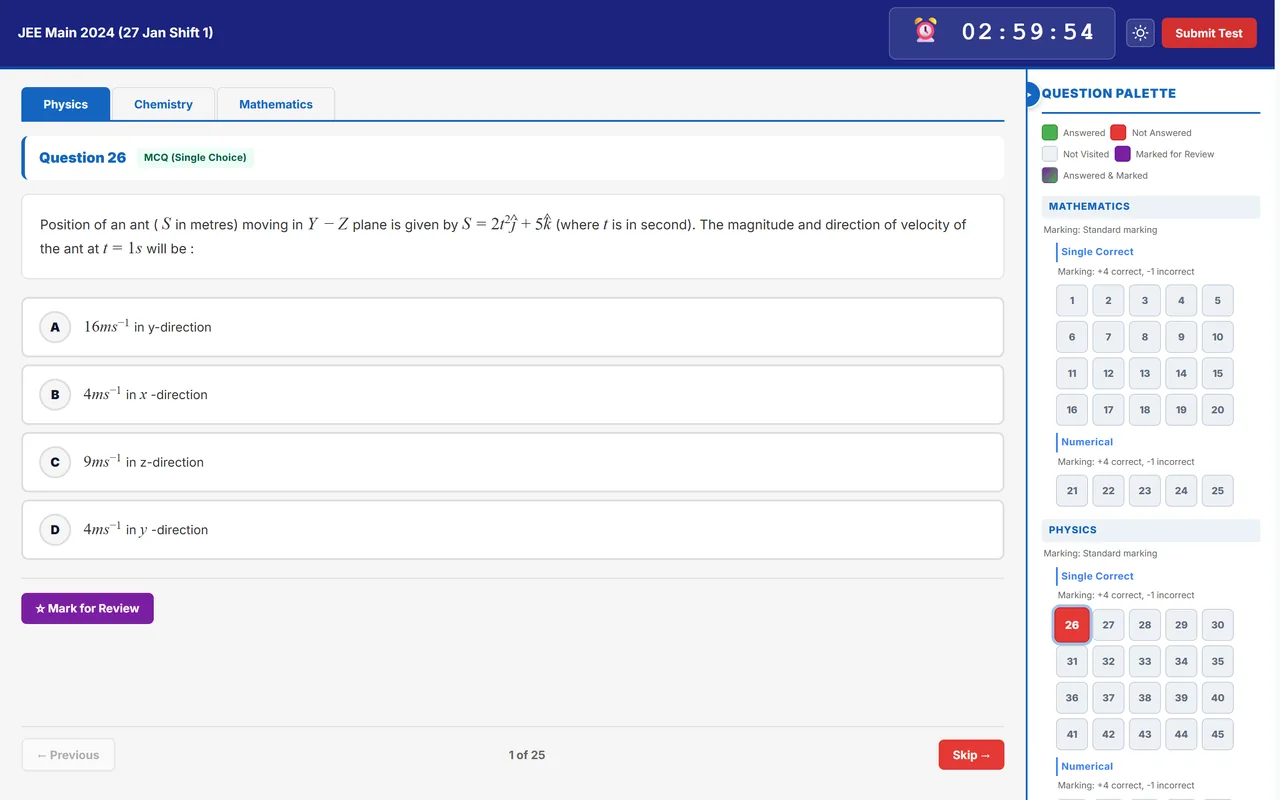
Papers keep their own sections, question types and marking scheme, including numerical and multiple-correct questions. JEE Main papers are listed shift by shift.
The real exam screen
Papers open in the same computer-based layout you will see on exam day: timer, question palette, Save & Next, Mark for Review.
Marks mapped to that year
A JEE Main paper shows the percentile your marks map to for that shift. A JEE Advanced or NEET paper shows the rank for that year, using that year's marks-to-rank data where it exists.
JEE Advanced, both papers together
Finish Paper 1 and Paper 2 of the same year and you unlock combined marks, subject totals and an estimated rank from the two together.
Retake as often as you like
Every attempt is saved on its own, so you can see how the second sitting compares with the first.
Solutions for every question
After submitting, open any question to see the correct answer, a worked solution and, where one is ready, a video explanation.
What your marks are mapped to
| Paper | After you submit | Worth knowing |
|---|---|---|
| JEE Main | The percentile your marks map to in that shift | Papers are listed shift by shift |
| JEE Advanced | The rank your marks map to in that year | Finish Paper 1 and Paper 2 for a combined rank |
| NEET | The rank your marks map to in that year | Uses that year's marks-to-rank data where it exists |
Where no official curve exists for a year, the rank is a labelled estimate.
How to use it
- Pick the exam. Open PYQ and choose JEE Main, JEE Advanced, NEET or MHT CET.
- Pick the year and shift. Papers are listed by year, and JEE Main by date and shift.
- Read the instructions and start. The timer starts when you begin. Leaving a past paper midway submits that attempt, so start when you have the full time.
- Review it the same day. Open the result, go through the Analysis and Questions tabs, and tag what went wrong in your Mistake book.
Good to know
- Keep a few recent papers unseen for the last weeks before the exam. A paper you have never seen is the closest thing to the real day.
- For years where no official marks-to-rank curve is available, the rank is a labelled estimate based on question difficulty.
- On the free demo you can take the latest previous year papers; the full archive comes with a paid plan.
Open without an account
- Previous year papers: Every paper listed by exam and year.
- Chapter-wise weightage: Which chapters the past papers asked most.
Common questions
Can I read a paper without taking it as a test?
Yes. The public previous-year-papers pages list the papers with answer keys once you log in, and topic practice lets you filter a chapter down to its past-paper questions.
Does retaking a paper spoil my record?
No. Each attempt is stored separately, and your history shows all of them.
Related features
- The real exam screen: The same computer-based test layout NTA uses, so exam day holds no surprises.
- Test analysis: Where every mark went: by subject, by chapter, by minute and by question.
- Rank and percentile prediction: A live estimate of your percentile and All India Rank, built from real past-year data.
- Ranked mock tests: Full-length mocks scored against everyone else who took them, with a leaderboard.